Your Windows at 100%:Fewerprocesses.MoreFPS.Lessinput lag.
Octane strips out what drags your game down in Windows. More FPS, faster response, and every tweak reversible.
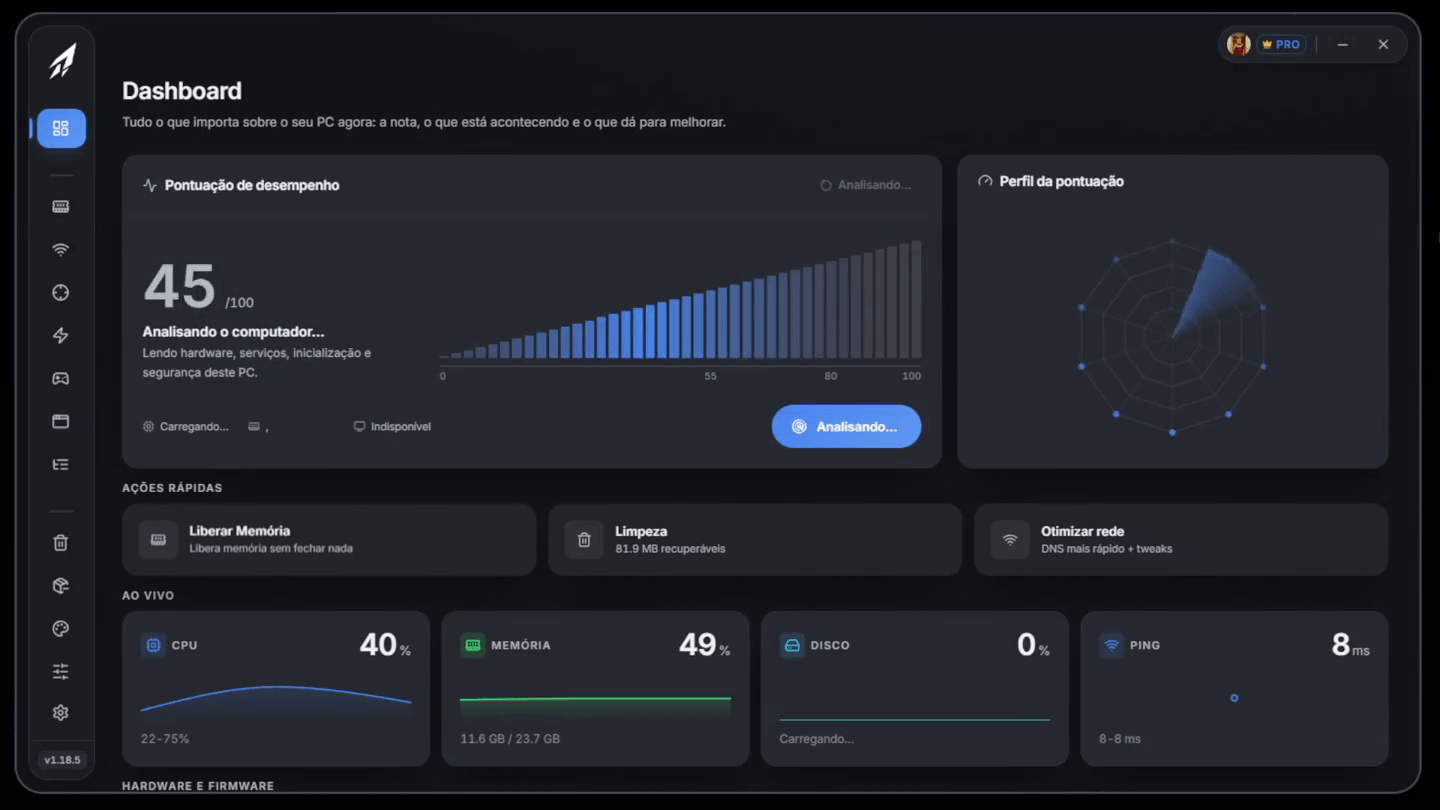
+91% FPS on average. Same PC.
Eight games measured on the same machine, with the same preset and the same monitor, before and after Octane. No new parts, no overclock.
Competitive FPS
Counter-Strike 2
Without Octane125FPSWith Octane232FPS+85.6%performance
On a 240 Hz or 360 Hz monitor the extra frames show up in your spray and your flicks. That's where the difference leaves the chart.
Tactical FPS
Valorant
Without Octane192FPSWith Octane365FPS+90.1%performance
It runs light even on old machines. The gain is in the lows: fewer stutters in the middle of a gunfight.
Battle royale
Fortnite
Without Octane132FPSWith Octane247FPS+87.1%performance
Fast building and editing cost frames. With the background queue empty, your builds stop hitching.
Military FPS
Call of Duty
Without Octane96FPSWith Octane186FPS+93.8%performance
Warzone eats RAM and disk. Freeing up both avoids the drop that only hits late in the match.
FiveM
GTA V
Without Octane115FPSWith Octane233FPS+102.6%performance
Open worlds stream textures all the time. A clean disk with nothing fighting for reads keeps the scene stable.
Mobile battle royale
Free Fire
Without Octane123FPSWith Octane271FPS+120.3%performance
The emulator competes with Windows for CPU and RAM. Clearing background load helps it run freely, so your shots land on time.
Sandbox
Minecraft
Without Octane135FPSWith Octane209FPS+54.8%performance
Java lives on free CPU and RAM. This is where debloat shows the most: chunks load and stop flickering.
Platform
Roblox
Without Octane110FPSWith Octane215FPS+95.5%performance
It runs on any PC, which is exactly why everything that shipped with Windows weighs so much here.





Reference numbers from a test machine, not a guarantee. Your gain depends on your hardware, on how much came preinstalled with Windows, and on which tweaks you apply.
Your Windows shares your PC with things that aren't your game.
Octane finds what's stealing frames on your machine and gives them back to the game. It only applies what makes a difference on your PC, and every tweak can be undone.
Background fighting for CPU
Services, telemetry and apps that start with Windows get out of your game's way.
More free CPUPower settings holding back
Power plan and priority tuned for performance, not for saving energy.
Maximum performanceLong frame queue
Performance profile on the graphics card and a short queue: each frame goes out as soon as it's ready.
Frames on timeMisconfigured hardware
XMP off, monitor plugged into the motherboard: the diagnostic finds the FPS no tweak can give back.
Free diagnosticHigh FPS isn't enough if your click arrives late.
From the mouse to the image on screen, your click goes through four stages. Octane shortens each one, and you feel it in a gunfight before you see it on the counter.
Peripheral
1/1
System
5/5
Video
6/6
Network
2/2
Values from a typical machine; the app measures yours. The gain depends on the hardware, and every tweak can be undone. In the app, the Input Lag page is part of Pro.
Same game. A whole new feel.
You notice it before you look at the counter: what changes when Windows stops getting in the way.
WithoutStutter in the middle of a gunfight
WithStable FPS from start to finish
WithoutDozens of processes fighting for CPU
WithOnly what the game needs
WithoutClicks that land late
WithInstant response
WithoutPop-ups and suggestions mid-game
WithTotal silence
WithoutPower saver plan holding the CPU back
WithPerformance unlocked in one click
WithoutChanged it, broke it, no way back
WithUndo tweak by tweak
Why Octane, and not some other way.
More FPS without an agent weighing on your game, without a stranger in your PC and without a monthly fee.
Only what changes something on your PC
Hundreds of tweaks just for show
Closes and doesn't keep running
An agent fighting your game for CPU
Every tweak with its risk in plain sight
Commands run blindly
Nobody gets into it
Remote access by a stranger
As often as you want, and undoable
One session, no way back
Pay once, yours forever
Pricey plan that runs out
Download Octane for free
Installs in under a minute. Free, no card. Signing in the first time is what brings your plan back when you switch PCs or reinstall Windows.
The installer is only 7.0 MB, it downloads in seconds.
- Windows 10 & 11
- Verified updates
- Updates itself
- users
- 3,240
- optimizations run
- 187,900+
- on Discord
- 430
- tweaks
- 110+
Windows showed a warning during install. Is it safe?
It's expected, and it doesn't mean anything is wrong with the file. Windows warns whenever a program doesn't carry a code signing certificate, which is a paid seal from a certificate authority. Octane doesn't have one yet, so the system can't tell who published the installer and chooses to warn you.
To install
On the blue "Windows protected your PC" screen, click More info and then Run anyway. If your browser holds the download, choose Keep.
Some antivirus programs also flag Octane as a potentially unwanted program. The reason is what it does on purpose: turning off services, tweaking the registry and removing Windows components are exactly the actions those tools watch for. That's the price of an optimizer actually doing the job.
Checking it yourself
This is the SHA-256 of the installer we're serving right now. Compare it with your file's (in PowerShell, Get-FileHash Octane-Setup.exe) or see the public scan:
0e4b20e1ff2d4bb69330c1800b82b7ca747abd4b46a7510bc2cebbe34dc3f044
View on VirusTotalThe tip that unlocks your game has already been tested here.
News, update announcements, tips from people who've already optimized and ticket support, it all happens on Discord first.

Octane Optimizer
Official Discord server
430
members
78
online now
- Ask questions and get tips from people who've already optimized
- Ticket support without leaving Discord
- Hear about updates first
- Suggest what goes into the next version
Frequently asked questions
What we hear most before someone installs.
How much FPS will I gain?
It depends on your PC. In Octane's reference benchmarks, eight games, including Counter-Strike 2, Valorant, Fortnite and Roblox, gained 55% to 120% FPS on the same machine, without changing any hardware. The biggest gains go to PCs with a lot running alongside Windows, or with misconfigured hardware, like XMP turned off or the monitor plugged into the motherboard, which the free diagnostic points out. To find your own number, measure the game before and after: every tweak can be undone.
Is it safe? Can it break my Windows?
Octane creates a restore point before the first change and keeps its own backup of every tweak for 6 months. Anything that deletes files warns you first, and nothing is applied without your OK.
Can I undo it if I don't like the result?
Yes, tweak by tweak, you don't have to roll everything back at once. Every value is read back from the registry after it's applied, so the history shows what actually went in.
Does it work on any PC?
It works on any machine running Windows 10 or Windows 11 (64-bit). There's no minimum hardware requirement beyond a supported system.
Do I have to pay to use it?
No, and the free plan never expires. It includes the scored diagnostic, standard cleanup (temp files, Downloads, recycle bin and prefetch), memory, startup, Apps optimization, picking the fastest DNS, detecting your games, Quick Optimization with the free tweaks, the ads, background services, system and touch & pen sections of Debloat, and the privacy, performance, services and Explorer sections of FPS Boost.
Do I need an account?
Yes. Octane asks you to sign in the first time it opens, with email and password, Google or Discord, and it's free. The account is what holds your plan and what restores access when you switch PCs or reinstall Windows. After that first time the app opens normally, even offline.
What does Pro unlock?
Pro unlocks everything Octane does: every FPS Boost section (CPU, GPU, storage, power, network, games and mouse), the Input Lag, Visual and Preferences pages, the full Debloat including removal of built-in Windows apps, per-game profiles (GPU preference, compatibility and process priority) and work profiles, full cleanup, and Quick Optimization with the Pro tweaks. It's a lifetime license, one-time payment.
Is it a subscription? Do I have to cancel later?
It's not a subscription. You pay once and the license is yours, with no monthly fee, no auto-renewal and nothing to cancel.
Can I see the paid features on the free plan?
You can see the list of what each license unlocks, but paid sections don't open on the free plan: in their place you get a screen explaining what's inside and which license unlocks it. "Apply all" and Quick Optimization still work on the free plan, applying what it can and telling you how many tweaks are waiting for the license.
Why does my antivirus complain about the installer?
For two reasons, and neither of them means the file is compromised. First: the installer doesn't have a code signing certificate yet, which is a paid seal from a certificate authority, so Windows can't tell who published it and shows a warning. Click "More info" and then "Run anyway". Second: turning off services, tweaking the registry and removing Windows components is exactly the behavior antivirus software watches for, and it's what an optimizer does on purpose. The installer comes straight from our release pipeline, the app only accepts an update if its signature checks out, and the download section shows the file's SHA-256 so you can compare it or look it up on VirusTotal.